research
Article
Turn static into dynamic: Using Spline's Hana on your website
Key takeaways
- Hana's interface looks and works like Figma, so the learning curve is genuinely short if you’re already familiar with Figma. This way, you can build interactive 2D designs fast, even if you're new to Spline.
- Simple interactions like Follow events or small animations won't drag your site's performance down. Hana keeps things light.
- That said, Hana is very new and still has rough edges. Stack up too many effects, events, and animations in one scene and you'll feel it. Complex motion work on the level of After Effects is not what this tool is for.
- Practically speaking, you can use Hana to add real life to a webpage. Cursor-follow objects, glass effects, basic 3D shapes. Interactive without being a headache to build.
What we're doing here
Static websites feel static, and that's the whole problem. A subtle interaction, something that responds when you move your mouse or shifts as you scroll, can completely change how a page feels to someone visiting it. It's the difference between a site that breathes and one that just sits there.
This article walks through a few simple interactions built in Spline's newer product, Hana, and shows how they can plug into a real website. I'll also be straight about where Hana falls short, because it does have limits worth knowing before you commit to it.
So, what is Hana exactly?
It's Spline's 2D-focused tool, separate from the 3D environment Spline is better known for. The interface is deliberately close to Figma, which means if you've spent any time in Figma, you'll feel at home almost immediately. That's not an accident; it's clearly designed to lower the barrier for designers who don't want to relearn everything from scratch.
Getting into Hana
Getting started is straightforward. Go to Spline's website, log in to your account, hit the Create button, and choose HANA 2D Design. That's it.
Once you're inside, the layout will feel familiar. Layers and pages sit on the left panel, properties on the right, and the main tools run across the top alongside some of Spline's newer AI features. If you've used any modern design tool, you'll orient yourself quickly.
Let's go through three interactions you can actually build.
Interaction 1: The Follow event
The Follow event is probably the simplest thing you can do in Hana, and it's one of the better-performing options too. If your page is already carrying a lot of JavaScript, this won't add much weight.
Here's how to set it up:
- Create a frame first, the same way you would in Figma. That frame is your stage.
- Then add whatever element you want to follow the cursor: a shape, an SVG, an image. For this example, a company logo was used.
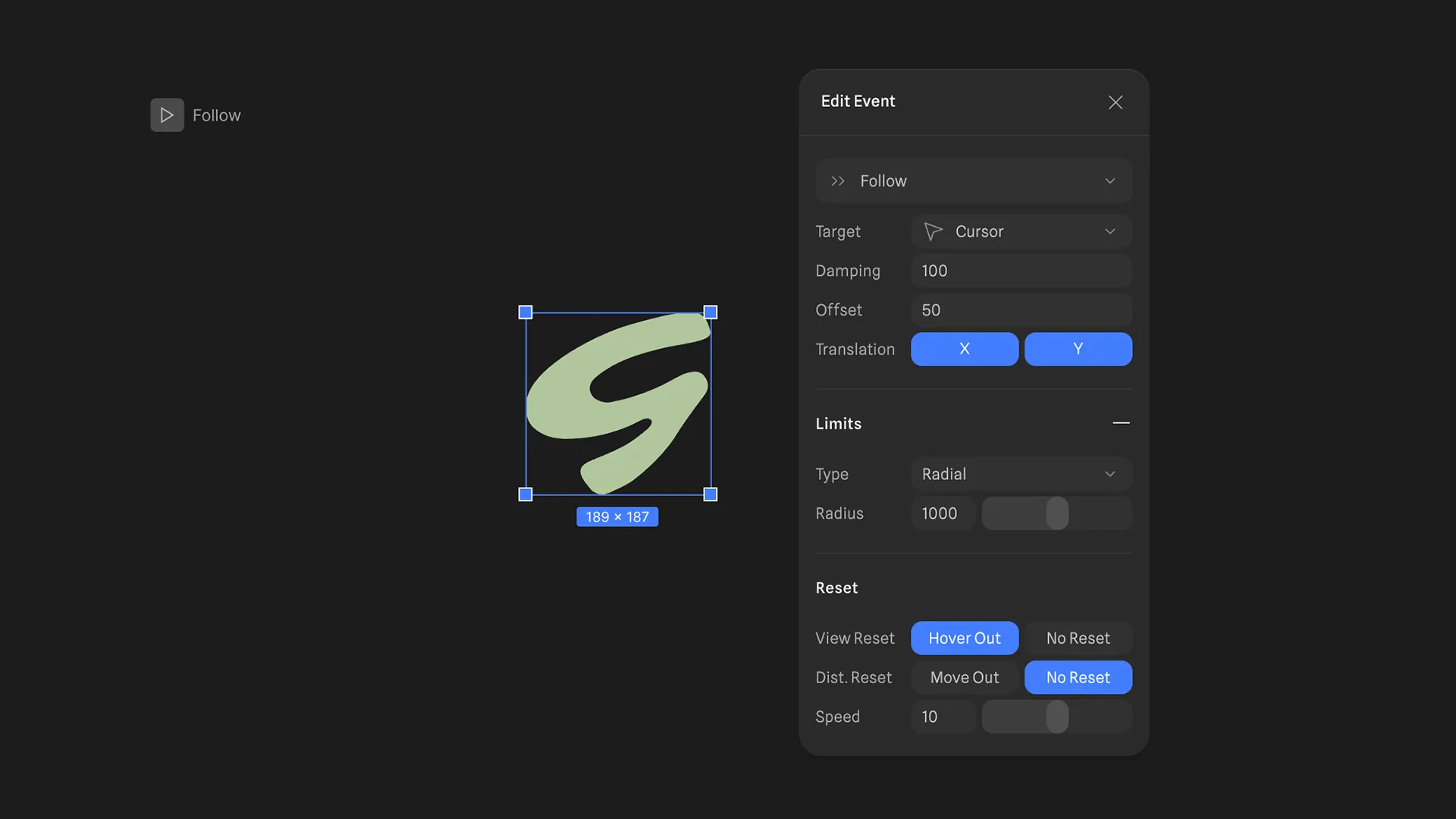
- Select the element, go to the Properties panel, and hit the plus icon under Events. Set the trigger to Start, then change the interaction type to Follow.
From there, you have a few things to adjust:
- Target: What the element is following. Usually, it’s the cursor.
- Damping: Controls how smooth and fast the movement feels.
- Offset: The lag between where the cursor is and where the element responds.
- Boundaries: Keeps the element from traveling too far from its origin.
- Reset: Whether the element snaps back when the cursor leaves the frame.
Play with the damping, especially. A high damping value gives it that floaty, organic feel that looks intentional rather than mechanical.
Interaction 2: Liquid glass
Keep the Follow event from before, but swap out the object for a liquid glass shape. Spline introduced this effect in 2025, and it works similarly to Apple's liquid glass treatment, if you've seen that.
To apply it:
- Select your object and go to the Properties panel.
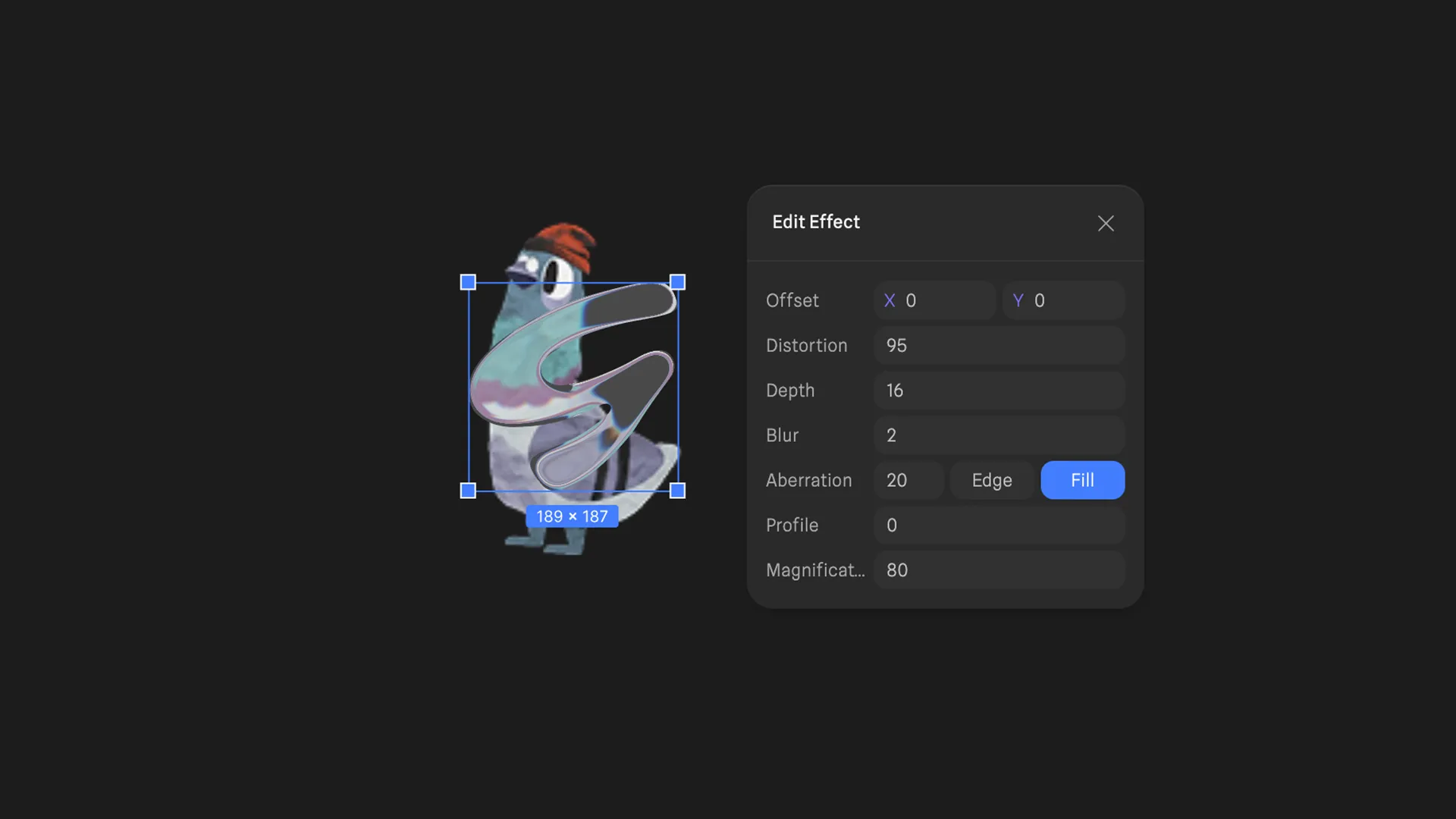
- Click the plus icon under Effects and choose Liquid Glass.
One thing to get right immediately: set the object's opacity somewhere between 0% and 50%. If you leave it at full opacity, the glass effect won't read at all.
The effect has several adjustable parameters: Offset, Distortion, Depth, Blur, Aberration, Profile, and Magnification. The distortion and aberration sliders are the most visually dramatic, so start there.
And place something behind the glass element. Without a background object, you're not going to see the distortion do anything interesting. Put a gradient, an image, or even just another shape underneath it so the glass has something to interact with.
Interaction 3: A rotating object
This one steps into Hana's limited 3D territory. Limited is the right word. The 3D tools here let you convert 2D shapes into 3D objects, but the options are fairly constrained. What you can do, though, is build a rotating globe, which is more useful than it sounds for certain web projects.
To apply it:
- Start with a rectangle.
- In the Properties panel, replace the fill color with an image.
- Upload whatever map or texture you want to use.
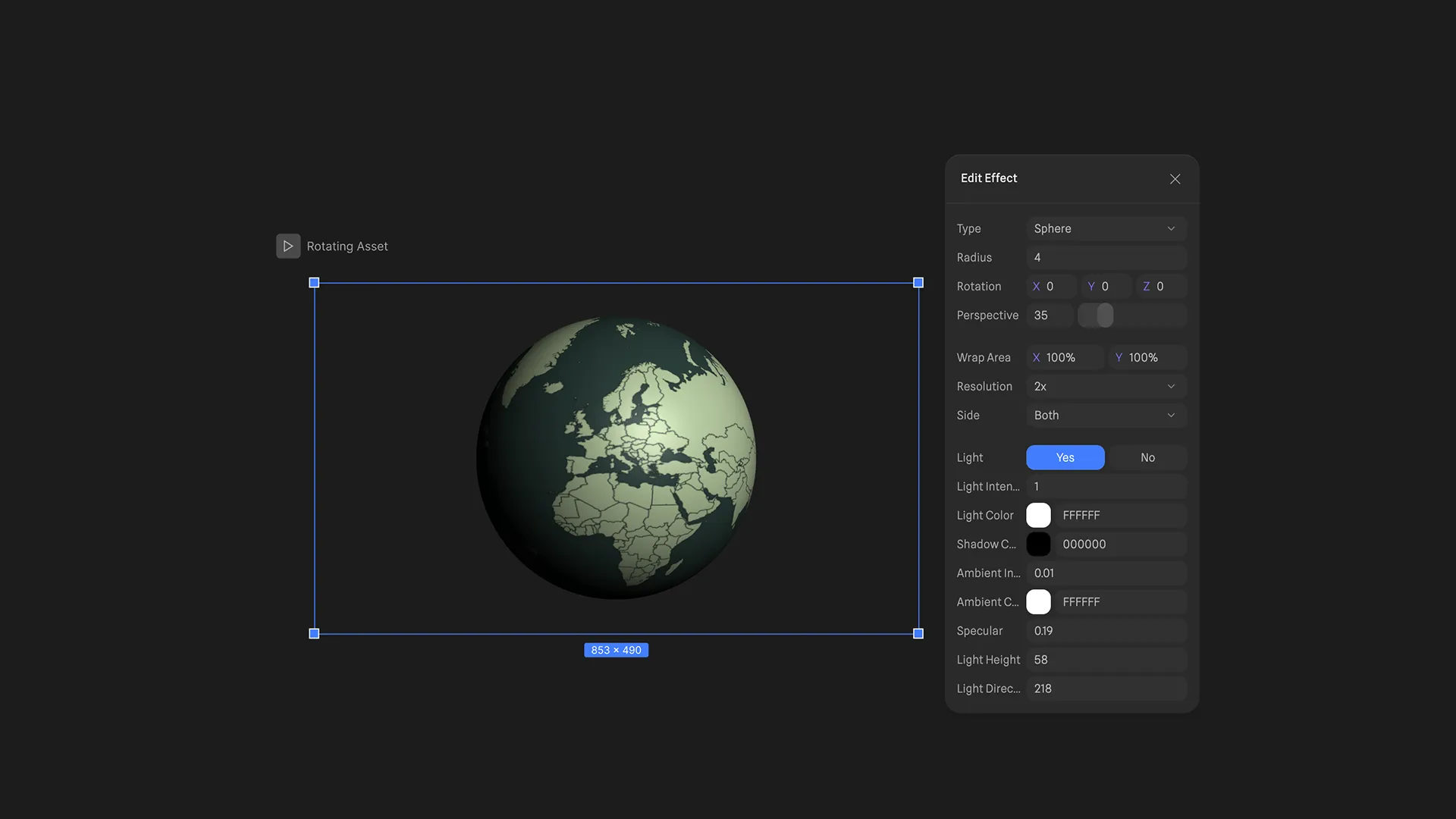
- Then, add an Effect and select Projection, changing the type to Sphere and setting the Radius to 3.
- The Light, Color, Ambient, and Specular settings let you push the realism further if you want.
- To get it rotating, use States. Click into a state and change the rotation of the 3D effect. Then add an Event and, in Transitions, set it to swap back to the base state. Adjust the easing and duration until the motion feels right.
That's a rotating 3D globe built entirely in a 2D tool. Not bad at all!
Where Hana falls short
Here's the honest part. Hana was released on April 23, 2025. As of early 2026, it's been around for less than a year. Spline itself is still a relatively young platform, and Hana is younger still. Bugs exist, and inconsistencies show up. That's just the reality of using something this new.
Performance is worth flagging specifically. Even though Hana works in 2D and doesn't use polygons the way Spline's 3D environment does, files get heavier as projects grow. Add enough elements to a frame, and you'll notice it.
I ran into this while building assets for an internal homepage: once you start stacking multiple effects, events, and states inside a single scene, the responsiveness starts to degrade. It's not catastrophic, but it's noticeable.
For anything approaching high-end motion design, you'll still need After Effects or something with that level of control. Hana isn't trying to compete there, but it's worth knowing the ceiling before you plan a project around it.
For simple, responsive, cursor-driven interactions that need to ship on a website without wrecking performance? Hana is genuinely good at that specific thing. Know what you're asking it to do, and it won't disappoint you.

table of contents
Want more like this?
Subscribe to stay in the loop.
More content
Learn about other things on our mind


.jpg)




.svg)